
Make your stream look like network TV.
Scorebugs, lower thirds and lineups for hockey, baseball and football. Run it from a browser tab and add it to OBS in minutes.
These are real LineCastFX outputs, captured from the app.
Not a generic template. The real game, on screen.
Every sport has its own scorebug, control panel and rules baked in: power plays, balls and strikes, downs and distance.

Hockey
A top-left scorebug modelled on the big broadcasts: slide-in animation, team-colour blocks and a live game clock. Strengths, penalties and shots all update from one control panel.

Baseball
An inning-by-inning bug that tracks the whole game state, and a control panel built for one-tap updates between pitches.
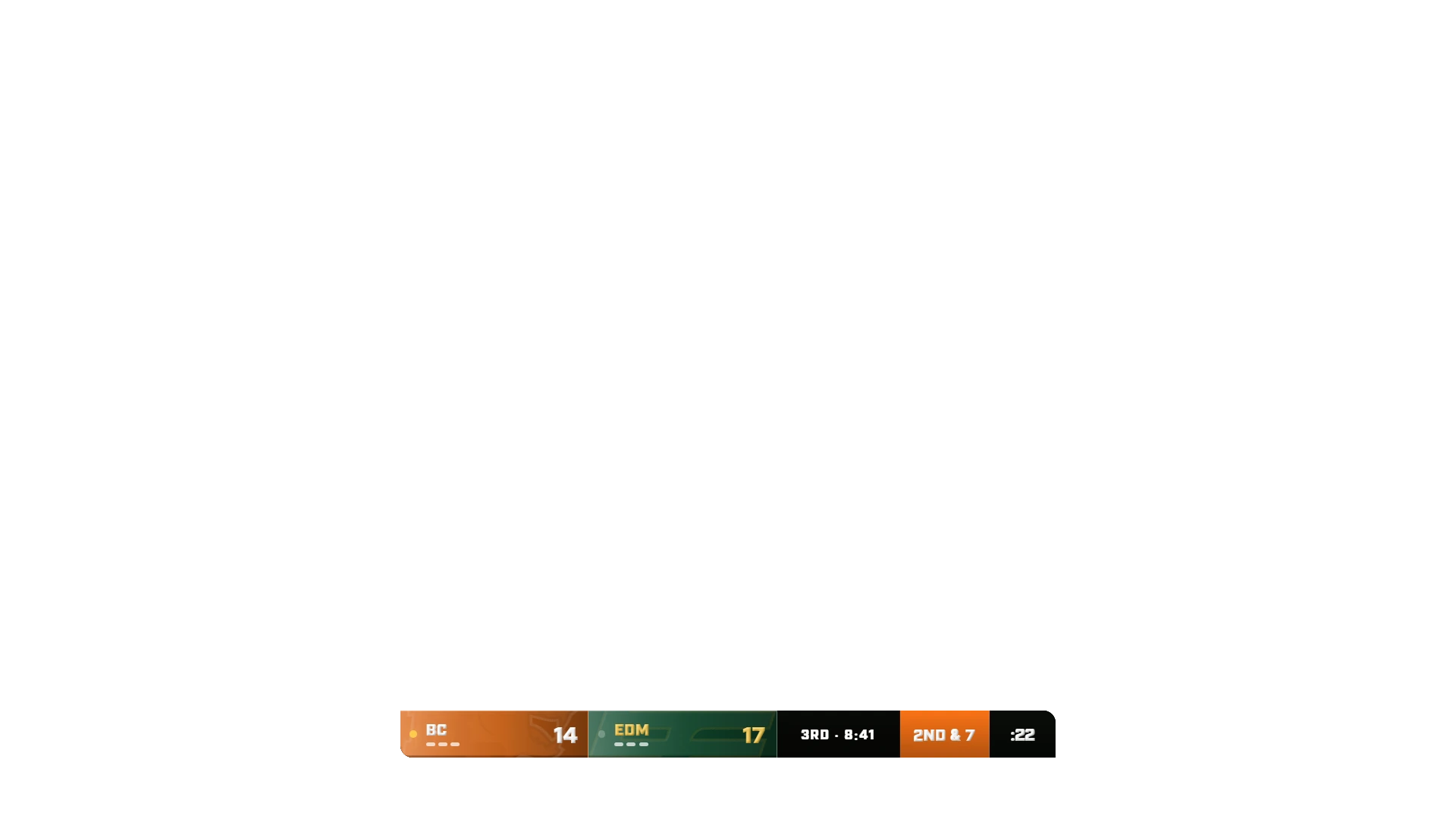
Football Coming soon
A single bar across the bottom of the screen with everything the viewer needs, built to handle Canadian and American rules of the game.
One control panel. Total control.
Runs in any browser, on the OBS machine or a laptop at the end of the bench. Big buttons, dark theme, built for people who are also watching the game.
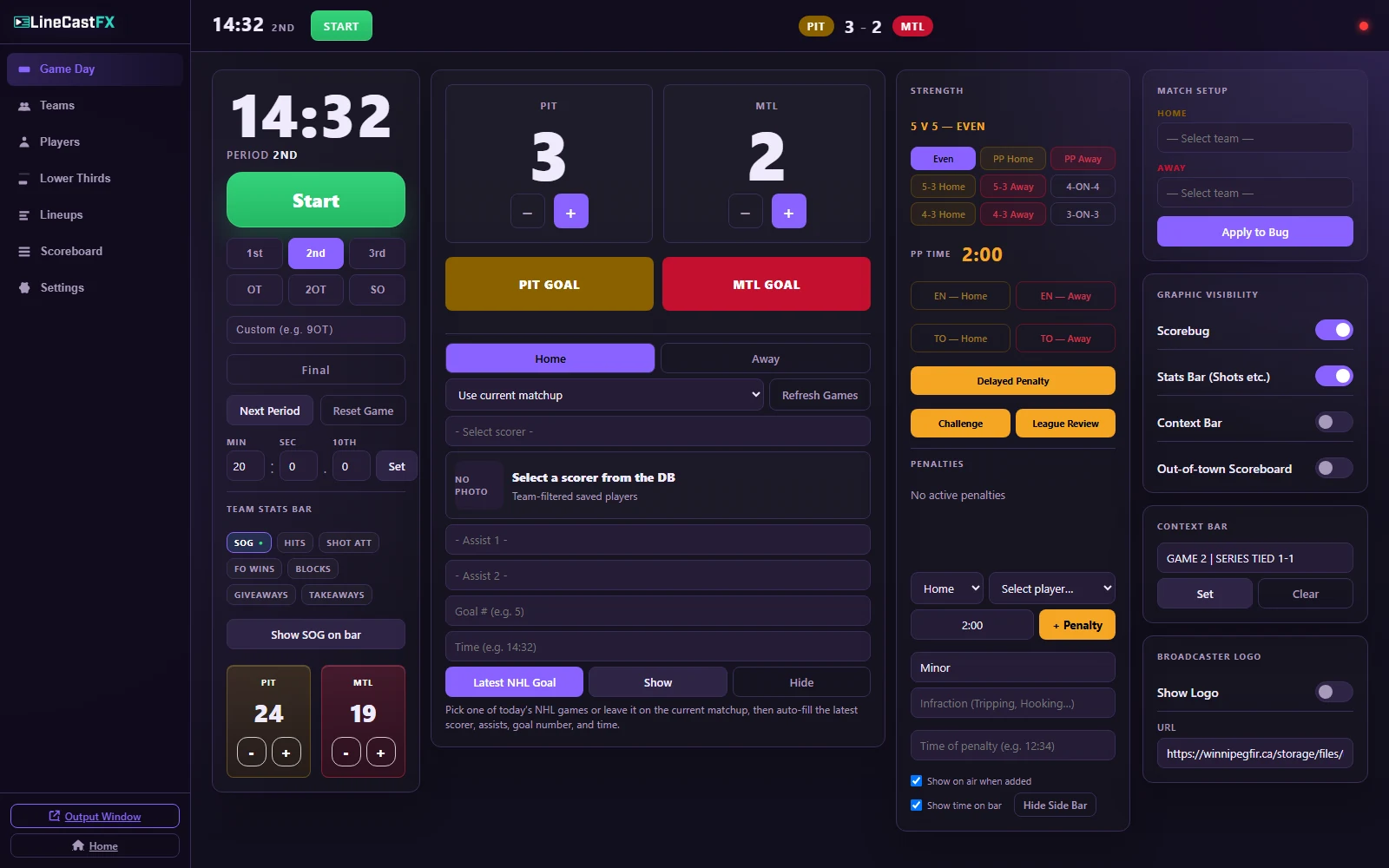
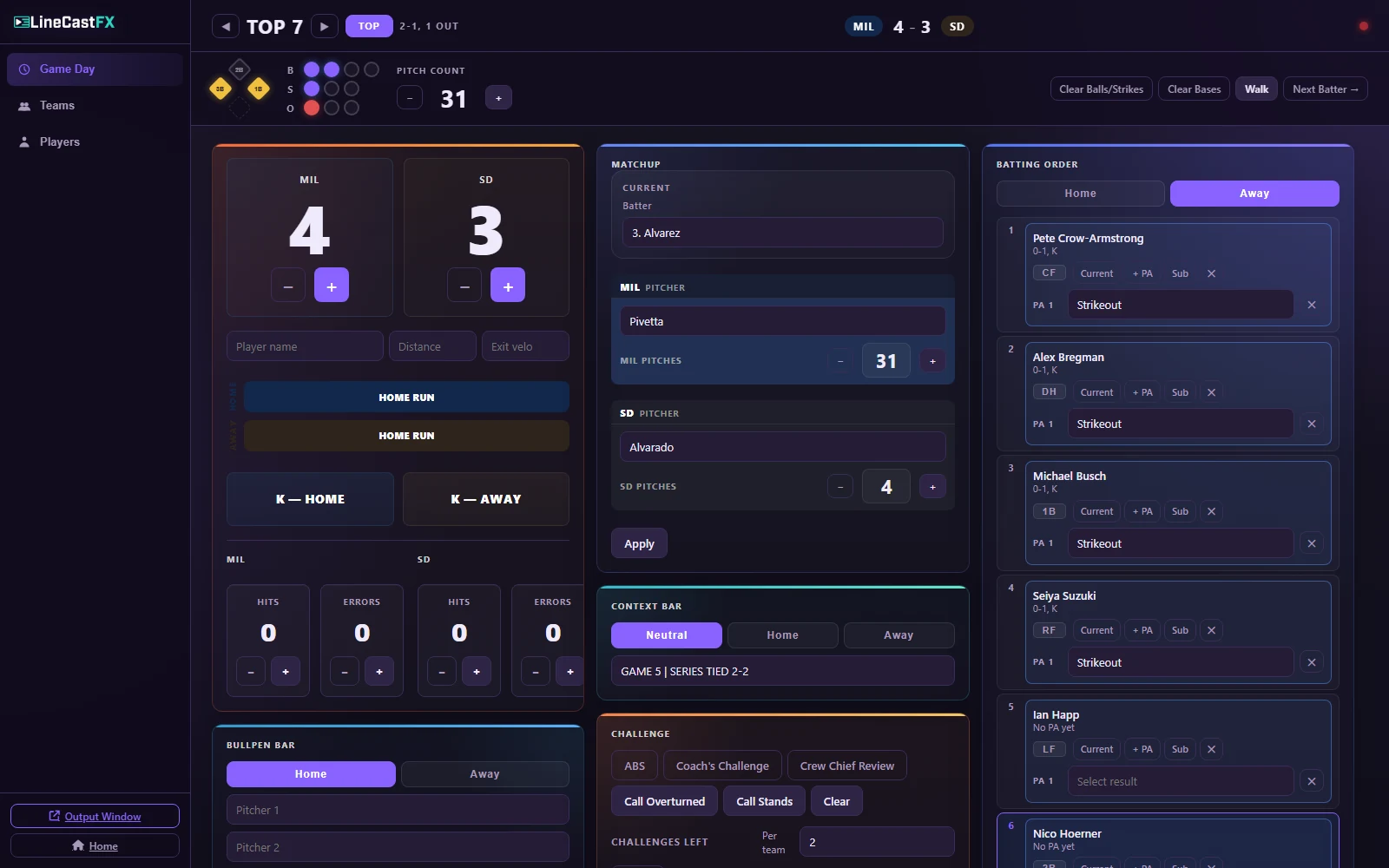
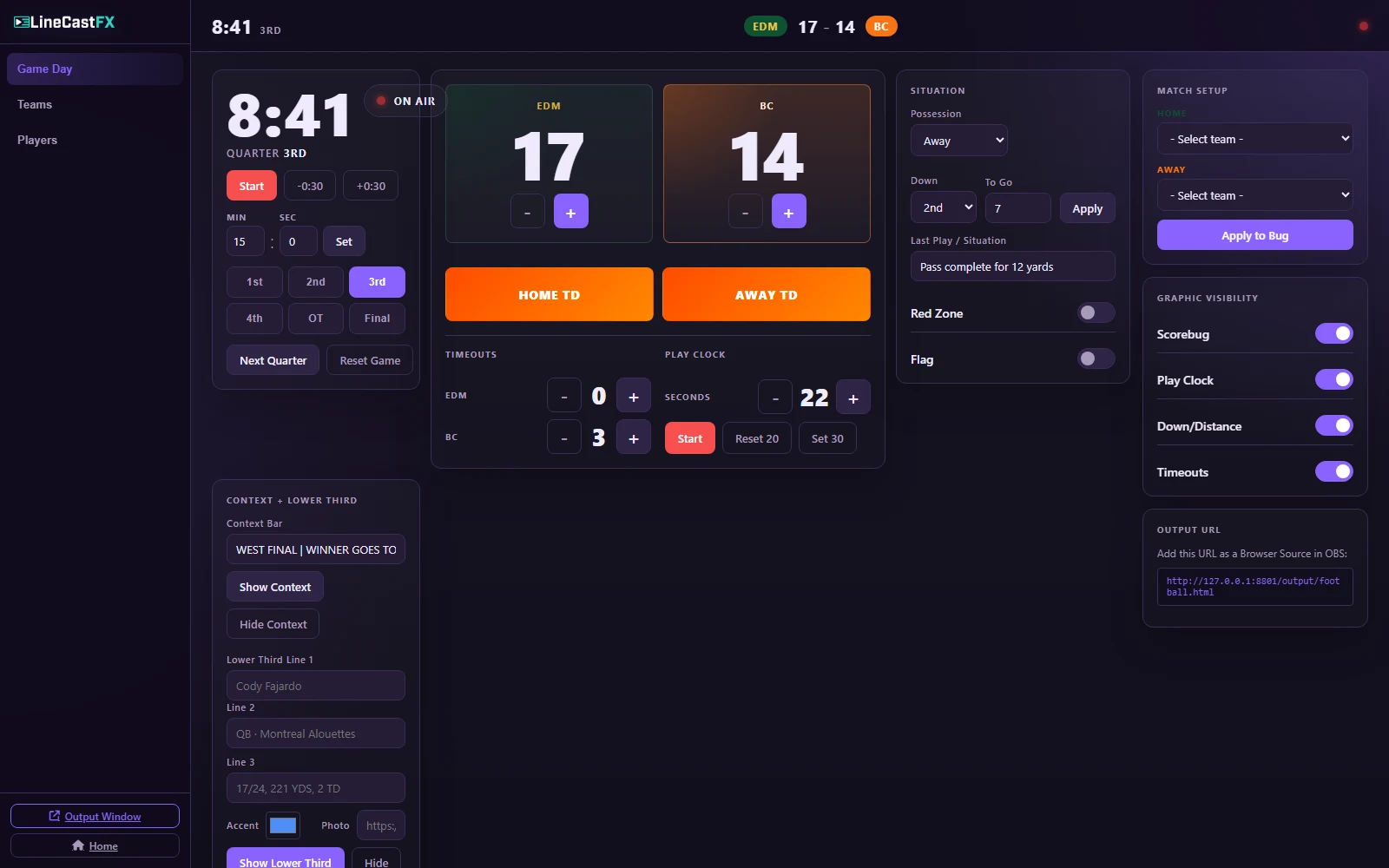
The whole broadcast toolkit. Not just a scoreboard.
The graphics your viewers expect from real TV, without a graphics operator or a truck.
Animated scorebugs
Slide-in, score tick-ups and team-colour flashes. Tuned to feel like the networks.
Lower thirds
Player, goalie, pitcher, batter or any custom name. Photo, number, position and stats on and off in one click.
Starting lineups
Build from your saved roster, then show the full board as the game opens.
Real clocks
Game, power play and play clocks driven from the panel. Tenths when it matters.
Challenges & reviews
Hockey challenges and league reviews. Baseball ABS, coach's challenge and crew chief reviews.
Context bar
A flexible banner for milestones, injuries, sponsors or whatever you type.
Playoffs intro slides
Slide-by-slide openers with your own title, subtext and logo.
Your brand, your colours
Team colours, logos and a broadcaster bug. Match every graphic to your jerseys.
Resolution & speed
720p, 1080p or 4K, with animation speed to match your show's pacing.
Live-updating
Panel and overlay talk in real time. State auto-saves, so a crash never costs you the score.
Graphic visibility
Every element has its own show/hide toggle.
Stored locally
Teams, rosters and scores live on your computer. No accounts, no cloud roster.
No IT guy required.
One installer, one license key, and you're live.
Download & install
Run the Windows installer. It bundles everything it needs: no PHP, no servers, no extra downloads.
Launch & activate
Open LineCastFX from the desktop shortcut, enter your license key and pick a sport.
Add an OBS source
Add a Browser Source and paste the output URL the control panel gives you.
Go live
Set your teams, hit Apply to Bug, and control graphics in real time.
If you stream a sport, this is for you.
Your livestream is the first impression for sponsors, parents and scouts. Make it count.
Leagues & associations
Add your teams once, then every broadcast across the league matches.
Junior & minor teams
Give players the lower-third treatment and recruiters something worth sharing.
Independent streamers
Stand out from every camera-on-a-tripod stream.
Schools & clubs
Student crews can run a full package from one browser tab.
Priced around your broadcast.
A league with forty games a season and a solo streamer shouldn't pay the same. Tell me what you stream, and we'll agree on something that works for both of us.
Sports, how many games, how big the crew is.
A straight conversation with me. No tiers to decode.
Download, install, enter the key, go live.
Quick answers.
Anything missing? Ask. You'll get a reply from me, not a bot.
What do I need to run it?
A Windows PC and OBS (or any streaming software that supports Browser Sources). The installer includes the rest, and the control panel opens in a normal web browser.
Does it work with Streamlabs, vMix or other software?
Yes. Anything that can display a web page as a source can show LineCastFX graphics. OBS is the one I test most.
Do I need to be online during a game?
Your license is checked online and cached, so flaky arena Wi-Fi won't kill your overlay mid-broadcast. Teams, players and scores are stored on your own computer.
Can I use it for my own league, not just pro teams?
That's the whole point. Create your own teams, colours, logos and players, saved for every game afterward.
Which sports are supported?
Hockey and baseball today, each with its own control panel and overlay. Football is coming soon. More are planned; tell me what you'd like to see.
What does it cost?
Pricing is agreed with each customer based on how you broadcast. Get in touch and we'll work it out together.
Can I get a feature or graphic added?
Probably. I build and support it myself, so good requests from real users shape what ships next.
Your team deserves a broadcast that looks this good.
Request early access, be first in line, and help shape what comes next.